Download Builder for Minecraft PE free on android
APK file Builder for Minecraft PE 16.4.0How to install APK / APKS / OBB file on Android
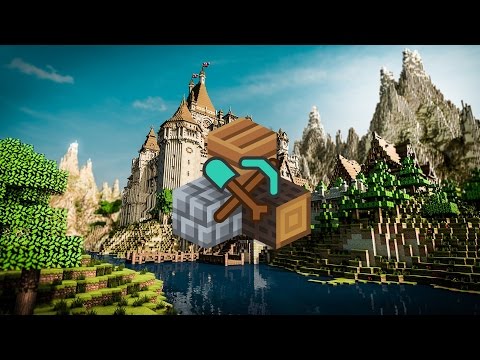

This app requires Minecraft Pocket Edition.
Surprise your friends with awesome buildings on your Minecraft maps with this app!
Have you ever dream about giant castle or beautiful modern house with a lot of furniture on your map? Maybe you wanted to create Minecraft PE server to play with your friends, but you don’t have awesome builds on your Minecraft PE map. Or you just desire to improve your builder skills. Now all of this are possible!
You can just select building you like and tap to continue – and it will appear on your Minecraft map!
Features:
- Instant builds
Import everything to your Minecraft map just by 1 click! You can build house with furniture or even plane on your existing Minecraft map and surprise all of your friends! It was never that easy to create stunning buildings on your maps!
- 8 categories
Explore different building categories!
Medieval and Modern houses with furniture | Castles | Vehicles | Ships | Skywars maps | Redstone builds (including traps and more!)
- More than 550 buildings
You can choose your favorite construction of a variety of creations and buildings, each of which is unique and looks amazing!
- No internet connection needed
Our app perfectly works even without internet connection, so you can build everything on your Minecraft maps all the time you want it. Just go to the app menu and press “Offline access”.
- Map safety
We are creating copy of your map after each build. If you don’t like your building or just wanted to place it elsewhere - you can cancel all changes and recover your Minecraft map after each build. You don’t need to worry about your map.
- Easy to use
Builder for MCPE is very simple app with clear and intuitive interface. You are just choosing building and then it appears on your Minecraft PE map!
Our apps works standalone without any mods or add-ons.
Disclaimer:
NOT AN OFFICIAL MINECRAFT PRODUCT. NOT APPROVED BY OR ASSOCIATED WITH Mojang AB. Minecraft Name, Minecraft Mark and Minecraft Assets are all property of Mojang AB or their respectful owner. All rights reserved.
In accordance with http://account.mojang.com/documents/brand_guidelines
- Improved application interface
- LicenseFree
- File nameBuilder for Minecraft PE
- File Version16.4.0
- Package namecom.lyxoto.mcbuilder.lite
- Size18 MB
- UploadedSeptember 23, 2026
- Android7.0 or later

- CategoryEntertainment
- DeveloperLyxoto Studios
- Developer emaildev.alexche@gmail.com
- md5 hash27c3155937ef24d6add20bb83ed186e0
- Architecture-
- Permissionsshow (8)
